
| Effect on the project | What the evidence shows | Planning use |
|---|---|---|
| Faster revisions | Changing a wireframe takes minutes; changing a high-fidelity design takes hours. | Settle layout disagreements at the wireframe stage, before visual polish exists. |
| Early conversation | Low-fidelity wireframes suit starting conversations, deciding navigation layout and mapping the user flow. | Use them for the first round of alignment on navigation and flow. |
| Limited precision | Low-fidelity wireframes are created without any sense of scale, grid or pixel-accuracy. | Do not treat them as a spacing specification. |
| Higher cost at the top end | High-fidelity wireframes are resource-intensive, with pixel-specific layouts that may include actual images and copy. | Reserve them for moments when exact layout detail is genuinely needed. |
| Mobile constraint | On a mobile app, the number of columns is usually restricted to one or two maximum. | Plan mobile screens around that ceiling rather than copying a desktop grid. |
These descriptions come from CareerFoundry’s wireframe guide and ProdPad’s wireframe glossary.
What is a wireframe? It is a two-dimensional skeletal outline of a webpage or app that shows structure and content placement without styling. The main condition is fidelity: match the level of detail to the decision your team needs to make.
For the wider set of interface decisions that surround this step, see our digital design guide for software.
Effects on schedule, feedback and cost
The practical value of a wireframe is that it is cheap to change. Wireframes are simple illustrations that are easy to change, according to Eternal Works, and ProdPad puts the contrast plainly: a wireframe edit takes minutes, while a high-fidelity edit takes hours. That gap should shape how you sequence work.
- Argue about layout early. When a change costs minutes, a team can try several arrangements of a screen and discard the weak ones without any sunk cost.
- Keep styling out of early reviews. Nopio notes that styles, colors and graphics are not part of a wireframe. Reviewers are therefore pushed to react to the main purpose of the artifact: how space is allocated, how content is ranked and what the functionality is.
- Delay high fidelity until the structure is settled. The same source calls high-fidelity wireframes extremely time-consuming. Building one around an unresolved layout means paying that cost repeatedly.
Wireframes are a structural artifact, so they sit on the UX side of design work. If you are unsure where UX stops and visual interface work begins, UI vs UX Design: What’s The Difference And Which One Should You Choose In 2026? – Interestingdevelopment sets out the split.
Choosing the right fidelity
Fidelity describes how finished a wireframe looks, and there are three main types: low, mid and high, as CareerFoundry describes them. The right one depends on whether you are still exploring, validating or specifying.
Low-fidelity: exploring and aligning
Low-fidelity wireframes are simple sketches, often made by hand or in digital tools like Balsamiq, as Then Agency explains. They fit the stage where the team needs to start conversations, decide navigation layout and map the user flow. Because they ignore scale, grid and pixel-accuracy, they invite changes rather than sign-off. Choose this level when the team still disagrees about what belongs on the screen.
Mid-fidelity: structuring the screen
Mid-fidelity wireframes are usually built in a digital wireframing tool such as Sketch or Balsamiq. Typography and imagery should not be part of a low or mid-fidelity wireframe, so the focus stays on arrangement. This level suits a team that has chosen a direction and now wants a tidier, shareable version of it.
High-fidelity: specifying detail
High-fidelity wireframes have pixel-specific layouts and may include actual featured images and relevant copy. Then Agency adds that they can carry branding, colors and typography, often created in Figma or Adobe XD, and describes Figma as a collaborative tool that is ideal for this level. Choose high fidelity only when exact layout detail matters, because it is resource-intensive and harder to revise.
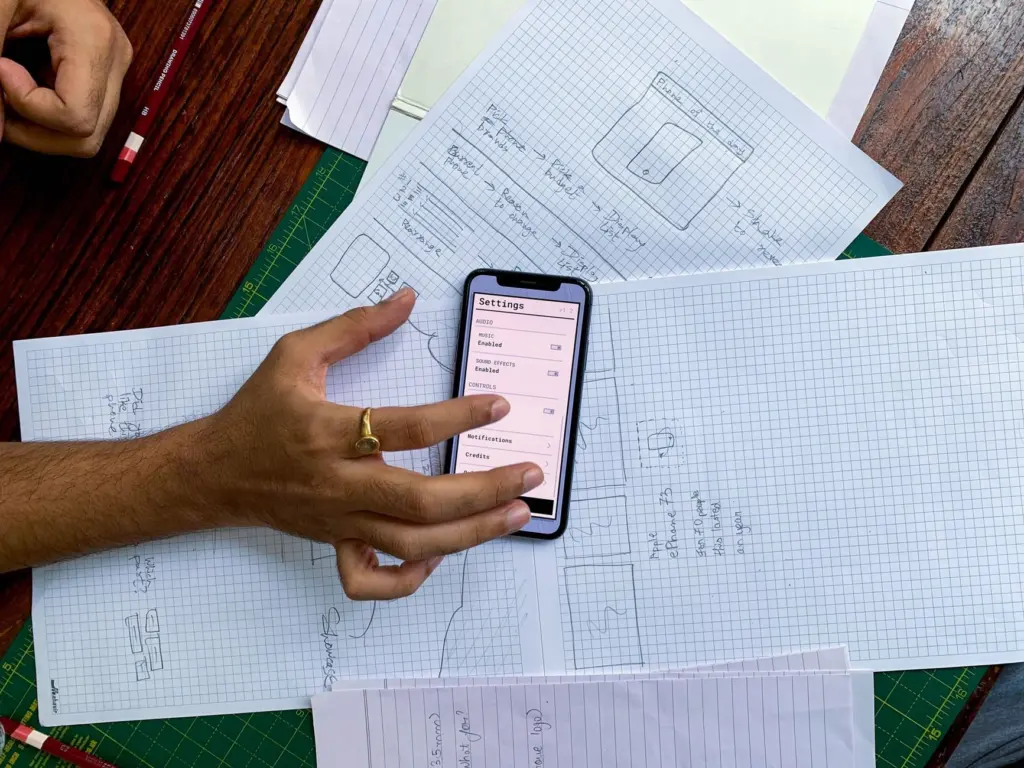
Fidelity is not a single dial. ProdPad reports that the Nielsen Norman Group has noted that fidelity can vary independently across visuals, interactivity and content, so a rough-looking layout can still carry real copy, and a polished one can be static.
Wireframe versus prototype
A wireframe is a static representation of an interface, while a prototype is an interactive version of the design, useful for testing usability before development, according to Then Agency. In ProdPad’s phrasing, a prototype adds interactivity.
The boundary is not rigid. Eternal Works describes interactive wireframes that incorporate clickable elements and simulated user interactions. The decision follows the question you need answered:
- Stay static when the question is about structure, hierarchy or what sits on the screen.
- Add clickable behaviour when the question is whether people can move through the flow before anything is built.
What a wireframe contains
A wireframe is the skeleton of a website, in the words of Eternal Works, and Nopio lists its job as allocating space to individual functionalities, establishing content hierarchy and defining functionality. In practice that means blocks for navigation, content areas and controls, labelled clearly enough that a reader understands each region’s purpose.
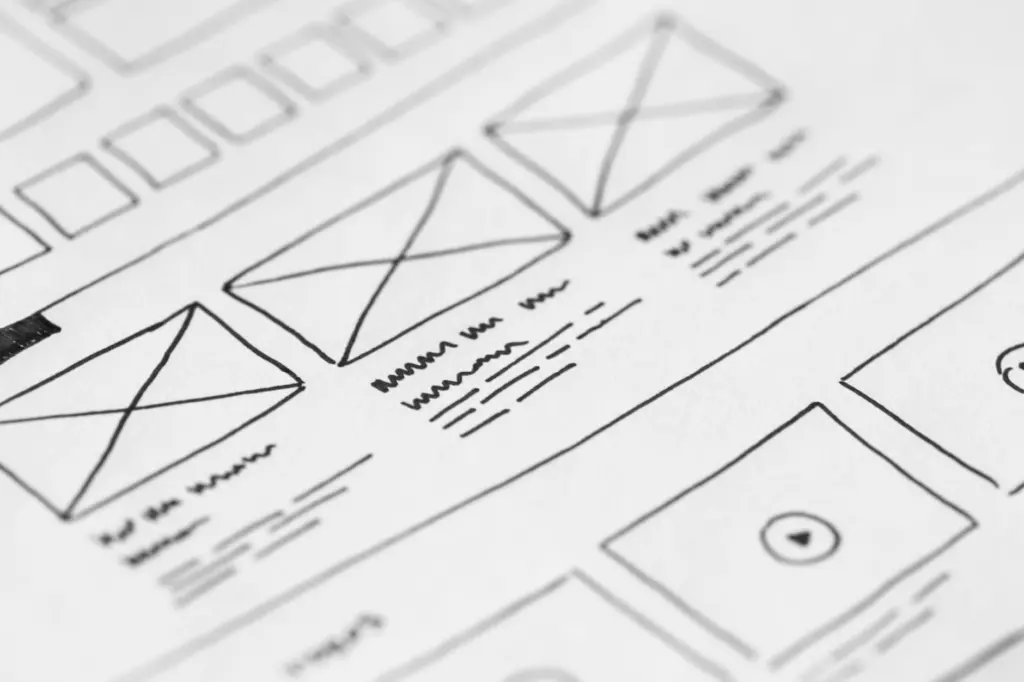
Nopio also advises using simple shapes such as rectangles, circles or squares in various sizes instead of images. That keeps attention on placement and removes the temptation to polish artwork too early.
Platform changes the layout. On a mobile app, the number of columns is usually restricted to one or two maximum, so a screen designed for a wide display needs rethinking rather than shrinking. How a layout adapts across screen sizes is a separate design choice, covered in Responsive vs Adaptive Web Design: How to Choose the Best Approach for Your Site in 2026 – Interestingdevelopment.
Creating a wireframe step by step
Wireframing takes time, and Nopio compares the process to creating a product, so work through it in stages rather than jumping straight to a polished screen.
- List what each screen must do. Write down the content and functions first, because the wireframe’s job is to give each function space and rank the content.
- Sketch several rough layouts. Compare alternatives before committing to one; low-fidelity work is meant to be cheap enough to throw away.
- Draw with simple shapes. Use boxes and circles in place of images, and leave typography and imagery out at this stage.
- Move the chosen layout into a digital tool. Balsamiq or Sketch suit a mid-fidelity version that the team can share and edit.
- Check the platform. For mobile screens, test the layout against the one-or-two-column ceiling.
- Raise fidelity only when needed. Use Figma or Adobe XD for pixel-specific layouts with real copy when someone needs exact detail, and add clickable behaviour when you want to test a flow.
- Revise as feedback arrives. Edits at this level take minutes, so keep adjusting the wireframe rather than defending the first version.
The common pitfall is working at the wrong fidelity for the stage. A high-fidelity file built before the structure is agreed is expensive to change, while a sketch cannot settle questions about exact spacing.
Frequently asked questions
Do fidelity levels have to move together?
No. Visuals, interactivity and content can vary independently, as the Nielsen Norman Group has noted according to ProdPad. A plain layout can contain real copy, for example.
Do I need software to start wireframing?
No. If you have a pen and paper to hand, you can quickly sketch a wireframe at no cost, as CareerFoundry points out. Digital tools such as Figma become useful as the wireframe gets more polished.
What is the Crazy Eights exercise?
It is a well-known sketching exercise that Nopio describes as producing 8 solutions in 8 minutes. It works as a quick way to generate layout alternatives before choosing one.
Who usually makes wireframes?
Wireframing is a practice most commonly used by UX designers, according to CareerFoundry, although the artifact is useful to anyone who needs to discuss how a screen is organised.