
| Choice | Effect | Planning use |
|---|---|---|
| Automated unit tests | Typically execute in milliseconds, but need an initial setup and updates whenever the code changes | Run them on every change, and budget upkeep alongside feature work |
| Manual unit testing | Suits smaller projects, one-time checks, or cases where automated tests may be too costly | Use it for throwaway checks; automate once the code keeps changing |
| Mocks, stubs and fakes | Simulate dependencies so only the unit’s internal logic is validated | Place them at boundaries such as databases, APIs and file systems |
| White-box path checks | Let developers confirm that all possible paths and conditions within the code are tested | Use them to review branches that happy-path tests leave untouched |
The effects above come from GeeksforGeeks’ unit testing overview and Testlio’s unit testing guide.
Unit testing types split along practical lines: manual or automated, white-box path checks, and tests that use mocks or stubs to isolate dependencies. For most codebases, automated tests with isolated dependencies give fast feedback, provided the team budgets for upkeep.
This page sits inside our software development guide, which places testing alongside the other engineering decisions it supports.
What each choice costs in speed and maintenance
Every unit testing style trades feedback speed against the effort of keeping tests current. The costs below decide which style fits a given module better than any label does.
- Fast feedback. Unit tests typically execute in milliseconds, so they can give feedback both during development and in CI/CD runs. That speed is the main reason to prefer unit-level checks over broader ones for everyday changes.
- Setup and updates. Automated tests require an initial setup and need to be updated whenever the code changes. The investment pays back on code that is touched often and costs more on code that never moves.
- Rework after interface changes. According to Tuskr’s unit testing guide, reworking test cases takes time when the underlying API changes. Tests tied closely to an interface that is still evolving will be rewritten more often.
- Test sprawl. The same source warns that an unnecessary proliferation of test cases increases maintenance time. More tests are not automatically better.
- False confidence. Tuskr also notes that unit testing can induce false confidence in code quality. A green run says little about paths that no test exercises, so coverage of paths needs checking separately.
The practical reading: automate where code changes frequently and logic is dense, keep each test narrow enough that an interface change breaks few of them, and treat a passing suite as evidence about the paths it covers, not about the whole codebase.
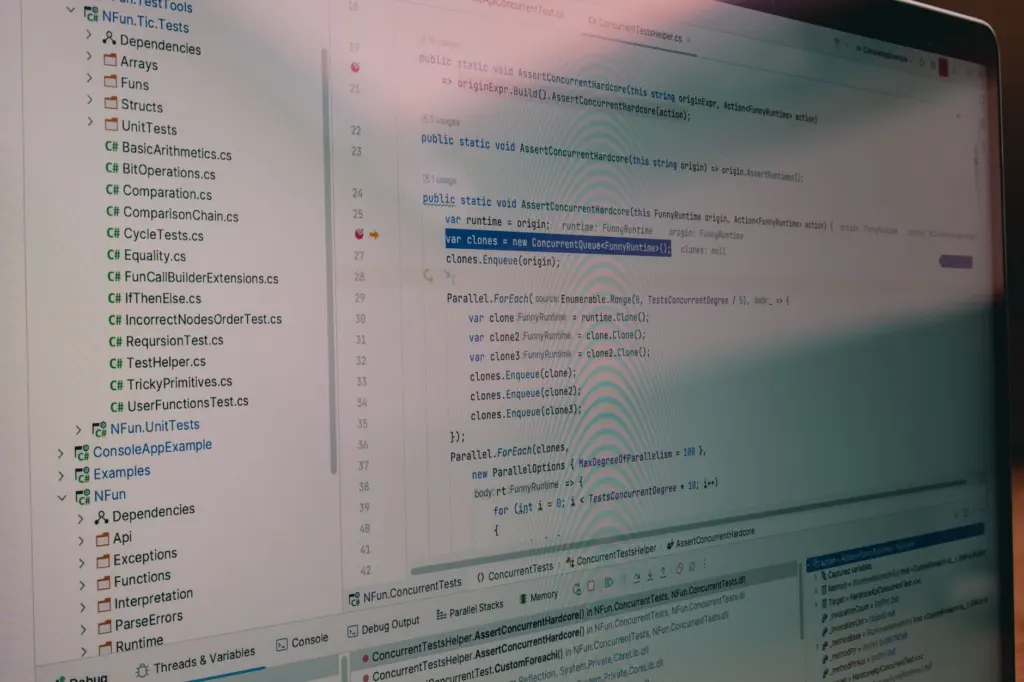
Manual, automated and white-box approaches
Unit testing can be performed manually or automatically, and a separate lens, white-box testing, describes how thoroughly the tests look inside the code.
Automated tests
Automated tests are the default for teams that ship regularly. They repeat the same checks on every change without anyone remembering to run them. Their cost is the setup and the updates described above, so they suit code that will live and change for a while. A good automated test is also, in the words of GeeksforGeeks, easy to understand, update and maintain. Readability is a maintenance feature, not a luxury.
Manual testing
Manual unit testing best suits smaller projects, one-time checks, or cases where automated tests may be too costly. It is a sensible choice for a script that will be used once or a prototype that may be discarded. It is a poor choice for core logic that changes often, because every change then needs a person to repeat the check.
White-box path checks
White-box testing is the approach that lets developers ensure that all possible paths and conditions within the code are tested. Use it as a review lens on an existing suite: list the branches and conditions in a function, then confirm each has a test. It answers the false-confidence problem directly, because it asks which paths nothing exercises.
Mocks, stubs and fakes
Mocks, stubs and fakes are used to simulate dependencies, ensuring that only the unit’s internal logic is validated. The same overview describes each unit as tested independently from external systems such as databases, APIs and file systems. A Hyperskill Java lesson frames it the same way: unit tests exercise the application without external dependencies such as databases and web services.
When to use mocks
Use a mock when the behaviour you care about is that the unit told a collaborator to do something, such as sending a message, calling a payment gateway or writing to storage, and no returned value captures it. A mock records calls so the test can assert on them. For everything else, a simpler double is enough.
- Stub. Returns fixed data so the unit under test has something predictable to work with. Choose it when the collaborator only supplies input.
- Mock. Records interactions for assertions. Choose it when the call itself is the outcome.
- Fake. A lightweight working version of a dependency, such as an in-memory store. Choose it when several tests need realistic behaviour and a stub per test would become repetitive.
For Java, Mockito is a mocking framework for simulating dependencies. Other ecosystems have their own equivalents.
Choosing the simplest double
Start with a stub or fake and move to a mock only when an interaction must be verified. Each assertion on a call is one more thing to rework when the code is restructured, and per Tuskr, reworking tests is where the time goes when interfaces change. An assertion on a call that does not affect the outcome adds upkeep without adding protection.
Keeping tests from becoming fragile
Fragile tests fail for reasons unrelated to defects: a renamed helper, a reordered call, a changed field nobody reads. Four habits reduce that risk.
- Isolate dependencies. AccelQ advises making each unit test independent by isolating dependencies with mocks and stubs. A test that does not share state or live systems with others cannot be broken by them.
- Assert on what callers can observe. Prefer returned values and public effects over internal fields. Tests written against public behaviour survive refactoring that leaves behaviour intact.
- Give each test one reason to fail. A single narrow rule per test makes a failure point at one problem and keeps parameterized tables focused on one variation each.
- Prune overlap. When several tests protect the same behaviour, keep the clearest. This counters the maintenance growth that comes from test sprawl.
Unit tests only cover one unit at a time. How services fit together at scale is a design question, taken up in Mastering System Design Interviews: A Practical 2026 Guide To Acing Common Questions – Interestingdevelopment and System Design Primer: Build Scalable, Reliable Systems Fast — A Practical 2026 Guide – Interestingdevelopment, and no suite of isolated unit tests replaces that thinking.
Frameworks by language
The framework usually follows the language, so the real decision is test style rather than tooling. GeeksforGeeks lists the common choices: JUnit for Java, pytest for Python, xUnit for .NET and Jest for JavaScript.
- JUnit. Hyperskill calls it a go-to unit testing framework for Java programmers. It is the natural starting point for any Java project.
- pytest. The Python choice, which uses plain assert statements for checks, so tests read close to ordinary code.
- Jest. Tuskr cites it for JavaScript-based frameworks like Node.js, which makes it the usual pick for JavaScript and Node.js projects.
- xUnit. The .NET option in the same list, suited to teams already on that platform.
Switching language is the only strong reason to switch framework. Within a language, spend the effort on test design rather than on tool comparisons.
Structuring each test with Arrange, Act, Assert
A readable unit test follows the Arrange-Act-Assert structure. Arrange prepares test data, objects and required mocks; act calls the unit; assert checks the result. Keeping the phases visibly separate makes it clear which lines are setup and which are the behaviour under test, and it gives mocks a single, obvious home.
A pytest example from AccelQ’s unit testing article shows how little ceremony is needed: a plain assert statement on add_numbers calls the function with sample inputs and compares the result with the expected sum. Several such assertions with different inputs turn into a data-driven test, where the same rule runs against a table of cases. Name each case so a failing report shows which scenario broke, and keep the table to variations of one rule.
Frequently asked questions
What counts as a unit in a unit test?
A unit is an individual function, method or class tested in isolation. In Java, a unit most often corresponds to a class, according to Hyperskill’s JUnit lesson.
Which other tools sit alongside the main frameworks?
GeeksforGeeks also lists NUnit for .NET, TestNG for Java and PHPUnit for PHP, along with Mockito for mocking in Java.
What Java version does JUnit 5 need?
JUnit 5 requires Java 8 or higher at runtime, according to the Hyperskill JUnit lesson.
How does JUnit’s assertEquals compare values?
It compares the expected value, passed first, with the actual value, passed second, and the test fails if they differ.