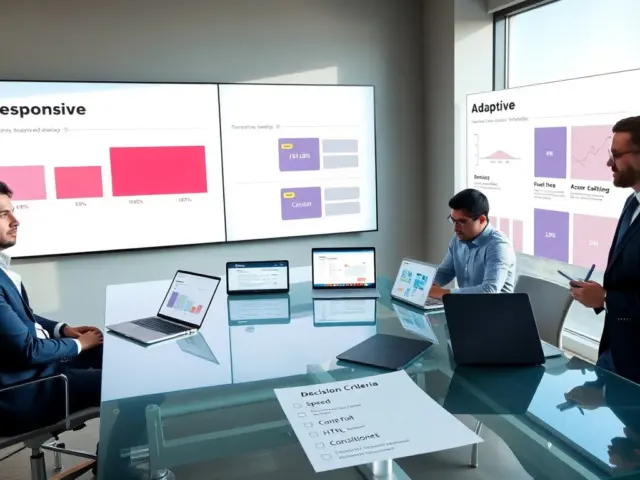
ux design tools help teams and designers make interfaces that work. This guide lists common tools, explains when to use each type, and shows simple workflows. It aims to save time and reduce tool churn. Readers will learn how to match ux design tools to project size, skill level, and delivery needs. Read on for practical criteria, clear categories, and sample step-by-step workflows you can apply immediately.
Key Takeaways
- UX design tools are essential for creating effective user interfaces by enabling planning, prototyping, and user testing to reduce guesswork and speed feedback.
- Choosing the right UX design tools depends on project goals, team skills, delivery timelines, and the need for research, prototype fidelity, or developer handoff.
- Testing two or three UX design tools on small tasks helps measure speed, clarity, export quality, and ensures compatibility with engineering workflows.
- Lightweight UX design tools work well for solo designers on smaller projects, while integrated workflows support small teams building complex apps.
- Rapid validation sprints using low-fidelity wireframes and quick user tests with UX design tools can shorten decision times and minimize development waste.
- Committing to a UX design tool for the full product cycle helps maintain consistency and reduces inefficiency from frequent switching.
What Are UX Design Tools And Why They Matter
UX design tools describe software that designers use to plan, create, and validate user interfaces. These tools support tasks such as sketching screens, building prototypes, running tests, and handing assets to engineers. A team uses ux design tools to reduce guesswork and speed feedback. Stakeholders use them to see realistic interactions before code. Good ux design tools cut rework, improve clarity, and raise product confidence. Teams that pick the right ux design tools ship faster and learn from real user data.
Beyond creating visuals, ux design tools also capture intent: flows, edge cases, and interaction rules that later shape engineering decisions. They provide a single source of truth for components, spacing, and behavior — which helps keep product quality consistent across releases. When paired with basic user research, these tools make assumptions explicit and measurable, so design choices are judged by user outcomes rather than opinion.
Core Categories Of UX Tools
UX designers choose tools from clear categories. Each category solves specific problems. Teams often combine tools across categories to cover the full design process. The next three subsections describe the main categories and their uses.
Wireframing and layout tools — used early to explore structure and information hierarchy. These are fast, low-fidelity environments for sketching alternatives, validating navigation, and testing content order with users. Use them to run early usability checks without investing in visuals.
Prototyping and interaction tools — focused on motion, transitions, and click-through behavior. Prototypes can be low- or high-fidelity and are used to validate interaction models, onboarding flows, and microinteractions. When interaction matters, choose a tool that supports states, overlays, conditional logic, and realistic timing so tests reflect production behavior.
User research and testing tools — for recruiting participants, running moderated or unmoderated tests, capturing sessions, and synthesizing feedback. These tools help move from opinion to evidence by generating recordings, task completion rates, and qualitative notes you can tie back to specific screens or flows.
Design systems and component libraries — help teams scale by codifying tokens, components, and usage guidelines. These tools reduce duplication, improve consistency, and speed handoff because engineers can reference a maintained component set rather than interpret pixel-perfect mocks.
Collaboration and handoff tools — enable versioning, commenting, spec exports, and asset delivery. They bridge design and engineering by exposing CSS values, export-ready assets, and measurement tools so developers can implement designs with fewer questions.
Supporting utilities — including image optimization, icon libraries, accessibility checkers, and performance simulators. These smaller tools solve specific needs in the workflow and are worth evaluating when quality or compliance requirements demand them.
How To Choose The Right UX Tool For Your Project
A team should list core needs before picking ux design tools. First, they should state project goals and delivery timeline. Second, they should inventory team skills and platform targets. Third, they should rank needs: research, prototype fidelity, or developer handoff. They should trial two or three tools with a small task. They should measure speed, clarity, and export quality. They should prefer tools that reduce context switching and that support the file formats their engineers use. Licensing and budget must match expected growth. Finally, they should commit for a product cycle before switching.
Use this checklist when evaluating candidates:
- Primary use case: sketches, prototypes, research, or system management?
- Collaboration: real-time co-editing, comments, and permissions?
- Handoff quality: are assets, specs, and tokens exportable in the formats your devs expect?
- Learning curve: how quickly can new hires contribute?
- Integration: does it link with your project management, version control, and analytics tools?
- Performance: does the tool handle large files and component libraries without lag?
- Accessibility features: can you test color contrast, tab order, and ARIA mappings?
Practical evaluation approach: pick a representative task from your next sprint (for example, design a settings screen). Complete that task in two candidate tools and time each step: layout creation, component reuse, interactive prototyping, and export. Check how much manual cleanup is needed by developers. Use that experience to score tools on speed, clarity, and handoff completeness — then factor in licensing and team preference.
Sample Workflows For Small Teams And Solo Designers
Workflow A: Solo designer working on a landing page. The designer sketches wireframes in a simple app, builds a high-fidelity prototype in a vector editor, and records a short unmoderated test. The designer exports assets and writes a short spec for the developer. This workflow relies on lightweight ux design tools that keep files small.
Detailed steps — Solo landing page:
- Quick sketch on paper or in a wireframing tool to align on layout and CTA placement.
- Create mid-fidelity screens focusing on hierarchy and copy; iterate based on peer or stakeholder feedback.
- Build a clickable prototype to validate primary flows and microcopy with 5–10 users in short sessions.
- Adjust visuals based on test results, then export optimized assets and a one-page handoff that lists breakpoints, fonts, and required images.
- Deliver assets and a brief implementation checklist to the developer to minimize back-and-forth.
Workflow B: Small team building an app. The product manager defines key metrics. Designers create mid-fidelity flows in a prototyping tool and run remote tests. The team publishes components to a design system and links tokens to the codebase. Engineers use the handoff tool to access assets and snippets. The team runs analytics after release and loops findings back into new prototypes.
Detailed steps — Small-team app:
- Kickoff: agree on success metrics and technical constraints.
- Discovery: run lightweight research and map user journeys to prioritize screens.
- Component-first design: build reusable components and document usage rules in the design system.
- Interactive prototypes for critical paths, followed by moderated tests with target users to validate flows and edge cases.
- Handoff: publish finished screens and tokens; engineers pull assets directly from the shared system and confirm implementation details in short syncs.
- Post-launch: monitor key metrics, capture qualitative feedback, and schedule design spikes to iterate on problem areas.
Workflow C: Rapid validation sprint. The team uses low-fidelity wireframes and quick user tests to decide between two directions. They run five short tests, review recordings, and pick the clearer option. They then move to a higher-fidelity prototype with the chosen ux design tools. This workflow shortens decision time and reduces wasted engineering effort.
Tips for fast validation:
- Timebox: limit the sprint to 2–5 days depending on scope.
- Test early: use simple click-through prototypes to answer a single riskiest assumption.
- Recruit from your audience: even small samples reveal consistent usability blockers.
- Decide with data: prefer the direction with clearer task success and fewer friction points, not the prettiest design.
- Document learnings: capture what changed, why, and how it affects next priorities.
Final note: investing time in a short trial and a small number of well-scored evaluations prevents long-term tool fatigue. The goal is a pragmatic toolkit that fits your team’s processes and helps you move from hypothesis to validated design with minimal waste.