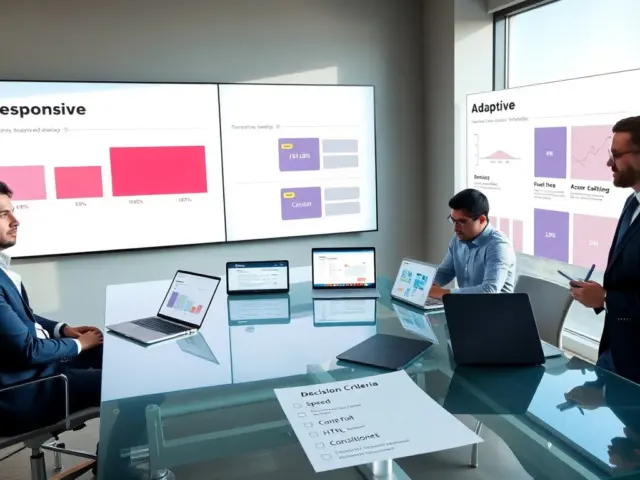
Free wireframe tools help teams sketch interfaces quickly. They let designers test layout ideas before code. The tools vary in fidelity, collaboration, and platform support. This article lists top free wireframe tools and shows how one chooses the best option for a project. It also gives practical tips to speed work and keep files tidy.
Key Takeaways
- Free wireframe tools enable quick interface sketches and help test layout ideas before coding starts.
- Choose a wireframe tool based on project scope, collaboration needs, fidelity level, and export requirements.
- Figma and MockFlow excel at team collaboration and multi-page projects, while Balsamiq and Wireframe.cc suit rapid, low-fidelity wireframes.
- Using components, templates, and clear layer organization speeds workflow and maintains tidy files.
- Running a short trial with candidate tools helps teams assess speed, export quality, and fit before commitment.
- Keep wireframes simple with limited colors and fonts, focused annotations, and prototype only key flows to enhance usability and developer handoff.
Top Free Wireframe Tools — Quick Comparison And Use Cases
Figma offers a powerful free tier. It supports vector frames, components, and real-time collaboration. Teams use Figma when they need shared files, version history, and simple prototyping. Figma works in a browser and on desktop apps.
Balsamiq gives a low-fidelity look. It focuses on rapid sketching and clear hierarchy. Teams use Balsamiq for early concept tests and stakeholder reviews. Balsamiq reduces debate about visuals and keeps feedback on structure.
Wireframe.cc provides a minimal interface. It uses a single canvas and simple shapes. Individuals use Wireframe.cc when they want one-page layouts or quick wireframes on mobile devices.
Pencil Project is an open-source option. It installs locally and includes many UI stencils. Freelancers and privacy-conscious teams use Pencil Project to keep files offline. Pencil Project lacks some cloud features but gives full control of assets.
MockFlow gives a web-based editor and page-flow tools. Teams use MockFlow for sitemap planning and multi-page app sketches. MockFlow also offers collaboration and export options for handoff.
Adobe XD and Lunacy offer free plans that include wireframe features. Adobe XD integrates with Adobe tools and supports basic prototyping. Lunacy runs on Windows with native performance and offline work. Teams use these when they want a hybrid of design and prototype tools without upfront cost.
Choosing among these free wireframe tools depends on the project scope. Simple projects benefit from Wireframe.cc or Balsamiq. Team projects benefit from Figma or MockFlow. Offline or open-source needs point to Pencil Project or Lunacy. Each tool offers export options such as PNG, PDF, and basic HTML. Teams should check export needs before they commit.
This list compares speed, collaboration, fidelity, and platform support. It also shows common use cases to match tool capabilities to project types.
How To Choose The Right Free Wireframe Tool For Your Project
Define the project scope first. A small landing page needs fewer features. A multi-screen app needs collaboration, versioning, and component reuse. Teams should write a short needs list before they test tools.
Evaluate collaboration needs next. If a team edits at once, pick Figma or MockFlow. If one person prepares files for review, choose Balsamiq, Wireframe.cc, or Pencil Project. If the project needs offline work, choose Pencil Project or Lunacy.
Match fidelity to the feedback stage. Use low-fidelity wireframes to test flow and layout. Use mid-fidelity wireframes to test content and spacing. Use high-fidelity wireframes when stakeholders need a realistic feel. The tool should support the fidelity level without slowing the process.
Check component and asset support. Projects with repeated elements benefit from component libraries. Figma and Adobe XD handle components well. MockFlow provides templates. Balsamiq uses reusable symbols. Teams should evaluate asset reuse to save time.
Review export and handoff options. Handoff to developers requires clear assets and notes. Figma and Adobe XD provide inspect modes and CSS snippets. MockFlow and Balsamiq export images and simple specs. Pencil Project exports to common image formats. Evaluate exports against developer needs.
Consider onboarding and learning curve. If a team needs speed, choose a tool with a shallow learning curve. Wireframe.cc and Balsamiq offer fast ramp-up. Figma gives more power but needs time to learn components and variants.
Factor in future needs. If the product will grow, choose a tool that scales. Figma scales well across teams. MockFlow scales across many pages. Pencil Project scales in local environments. The team should pick a tool that fits the expected growth and budget constraints.
Run a short trial. Teams should build one or two screens in each candidate tool. The trial shows actual speed, export quality, and collaboration fit. The trial helps the team make a fast, informed choice.
Tips And Workflow Tricks For Getting The Most From Free Wireframe Tools
Start with a clear template. A template speeds initial layout work. Teams should create a simple grid, common header, and footer. This step reduces repeated work and keeps versions consistent.
Use components and symbols. Components save time for repeated UI parts. Teams should create components for navigation, buttons, and cards. They should name components clearly so others find them fast.
Limit colors and fonts. Fewer visual variables keep the focus on layout and flow. Use one font family and two font sizes for wireframes. Use neutral greys for shapes and one accent color to show interaction.
Annotate intentionally. Short notes help developers and stakeholders understand behavior. Teams should add brief annotations for interactions, data sources, and responsive rules. Keep annotations simple and placed near the relevant element.
Organize layers and pages. Clear layer names prevent confusion. Teams should use page names for screens, user flows, and assets. They should archive old pages to keep files fast and readable.
Use versioning consistently. Teams should save baseline versions at key milestones. Baseline versions help teams roll back and compare choices. Tools with built-in history make this easier.
Prototype only the key flows. Teams should link core screens to test main tasks. Focused prototypes reveal user issues without extra work. Tools like Figma and Adobe XD support quick links and simple transitions.
Export in developer-friendly formats. Teams should export assets in SVG or PNG at standard sizes. They should provide a short spec file or link when possible. This step reduces developer guesswork and speeds implementation.
Keep files small. Large files slow editors. Teams should separate large asset libraries into shared files and import only what they need. This practice keeps free wireframe tools responsive and practical for fast work.
Review and adapt the workflow. Teams should hold short reviews after the first sprint. They should adjust templates, component names, and export steps. Small changes to the workflow yield steady time savings over the project life.